NVR comparison
OmniNVR vs Frigate: Native Apple NVR or Home Assistant AI?
Compare OmniNVR and Frigate for local recording, Home Assistant, Docker, object detection, hardware accelerators, Apple viewing, and setup complexity.
Fact-checked against official sources on July 13, 2026. Features, system requirements, and prices may change. Product names and trademarks belong to their respective owners; OmniNVR and TardisLabs are not affiliated with the compared vendors.
Quick verdict
Choose Frigate when Home Assistant is the center of the property, you want deep object tracking and automation, and you are comfortable maintaining Docker, YAML, FFmpeg roles, MQTT, storage volumes, and accelerator access. Choose OmniNVR when the desired result is a private Apple camera system rather than a self-hosted AI project.
Both products can keep camera processing local. The difference is not “local versus cloud”; it is how much infrastructure and detection control the user wants to own.
Side-by-side comparison
| Dimension | OmniNVR | Frigate |
|---|---|---|
| Deployment | Native Apple app | Docker, Home Assistant app, or self-hosted platform |
| Camera input | RTSP, RTSPS, HLS, ONVIF | FFmpeg inputs; commonly RTSP/HTTP; ONVIF for controls/events |
| Stream roles | Sub continuous + main event workflow | Separate detect, record and audio roles |
| Detection | On-device motion, person and sound workflow | Local object tracking, zones, face, plate and semantic enrichments |
| Hardware | Uses supported Apple device capabilities | Detector and video acceleration hardware strongly recommended |
| Automation | Notifications, email, webhooks and Apple integrations | Deep Home Assistant and MQTT integration |
| Client | Apple-native product family | Web UI/PWA with WebRTC/MSE |
| License | App Store distribution | MIT core; optional Frigate+ subscription |
Where OmniNVR reduces friction
Frigate's configuration flexibility is powerful: different streams can have detect, record, and audio roles; go2rtc can restream cameras; retention can depend on tracked objects. Reaching that result requires correctly mapping URLs, codecs, hardware acceleration, shared memory, volumes, detector models, and network access.
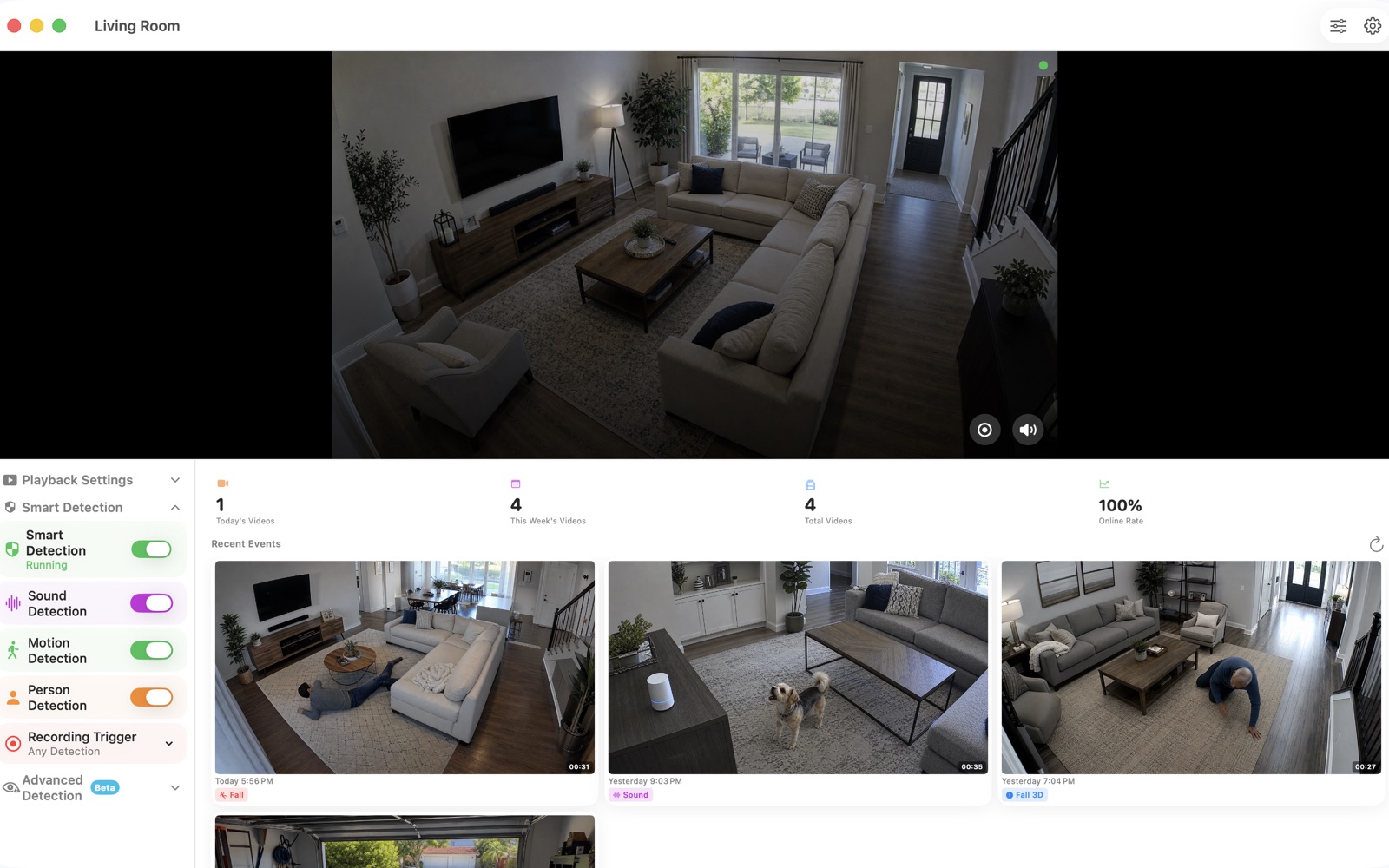
OmniNVR offers a narrower path from ONVIF discovery or RTSP entry to recording and event review. That can be the better product outcome when the user has a few cameras and no desire to operate Home Assistant or a container host.
Where Frigate is the better NVR
Frigate is the stronger fit for sophisticated local AI: object tracking, zones, multiple detector backends, MQTT, Home Assistant automations, face recognition, license plate recognition, and semantic search. It also exposes restreamed feeds through go2rtc and can be engineered for many cameras on selected hardware.
Official guidance recommends a dedicated detector for production-quality object detection and discusses GPU/NPU choices in depth. Users who enjoy this tuning can build a system far more customized than a consumer app workflow.
Hardware and maintenance reality
Frigate documentation recommends hardware video acceleration and a suitable detector, with memory requirements rising when enrichment features are enabled. Apple Silicon detection is possible through a host-side proxy because the Neural Engine cannot be used directly inside the container.
OmniNVR still needs an always-available recording device and adequate storage, but it removes container image, YAML, accelerator passthrough, MQTT, reverse proxy, and PWA administration from the basic path.
Which should you choose?
Choose OmniNVR for the shortest Apple-native path to local monitoring, recording, and event review. Choose Frigate for a Home Assistant-centered local AI system where deployment and tuning are part of the project.
Frequently asked questions
Is Frigate free?
Frigate's core is MIT-licensed and can be self-hosted. Frigate+ is an optional paid service for specialized models and model improvement workflows.
Does Frigate need a Coral?
A Coral is one supported detector, not the only option. Frigate supports several CPU, GPU and NPU backends, but official guidance strongly recommends a suitable accelerator rather than CPU detection for normal use.
Can OmniNVR and Frigate work together?
Potentially. Frigate's built-in go2rtc can restream cameras as RTSP, and compatible RTSP outputs can be added to OmniNVR for Apple-native viewing. Test authentication, codecs and network exposure.
Sources and further reading
Build your NVR on the Apple devices you already own.
Monitor, record, review, and retain RTSP and ONVIF camera video locally.