
NVR comparison
OmniNVR vs SecuritySpy: A Practical Mac NVR Comparison
Compare two Apple-focused NVR options by Mac deployment, iPhone and Apple TV access, ONVIF and RTSP, recording, automation, licensing, and setup depth.
Fact-checked against official sources on July 13, 2026. Features, system requirements, and prices may change. Product names and trademarks belong to their respective owners; OmniNVR and TardisLabs are not affiliated with the compared vendors.
Quick verdict
Choose OmniNVR if you want to turn Apple devices into a straightforward local recorder without starting from a professional surveillance control panel. Choose SecuritySpy when a dedicated Mac will be the permanent server and you need its mature scripting, web, synchronized playback, notification, and integration capabilities.
SecuritySpy is the closest direct competitor in this guide. It is native on Mac, supports Apple Silicon, has iPhone, iPad and Apple TV clients, and keeps processing and storage local. Honest positioning must focus on workflow and licensing—not false claims that SecuritySpy is non-native or cloud-dependent.
Side-by-side comparison
| Dimension | OmniNVR | SecuritySpy 6 |
|---|---|---|
| Primary platform | Apple ecosystem | Mac server with companion clients |
| Camera support | RTSP, RTSPS, HLS, ONVIF | ONVIF, RTSP, H.264/H.265, USB and capture inputs |
| Recording model | Continuous/event roles and unified review | Continuous and event recording with extensive actions |
| Detection | Motion, person, sound and local event flow | AI smart motion and camera/event integrations |
| Apple clients | iPhone, iPad, Mac, Apple TV product family | Free iPhone, iPad and Apple TV companion apps |
| Automation | Email, webhook, Apple-oriented integrations | Scripts, notifications, Home and Home Assistant integrations |
| Licensing | App Store distribution | Paid tiers by camera count; one Mac per server license |
| Best fit | Focused Apple home/small site | Deep professional Mac NVR |
Where OmniNVR stands out
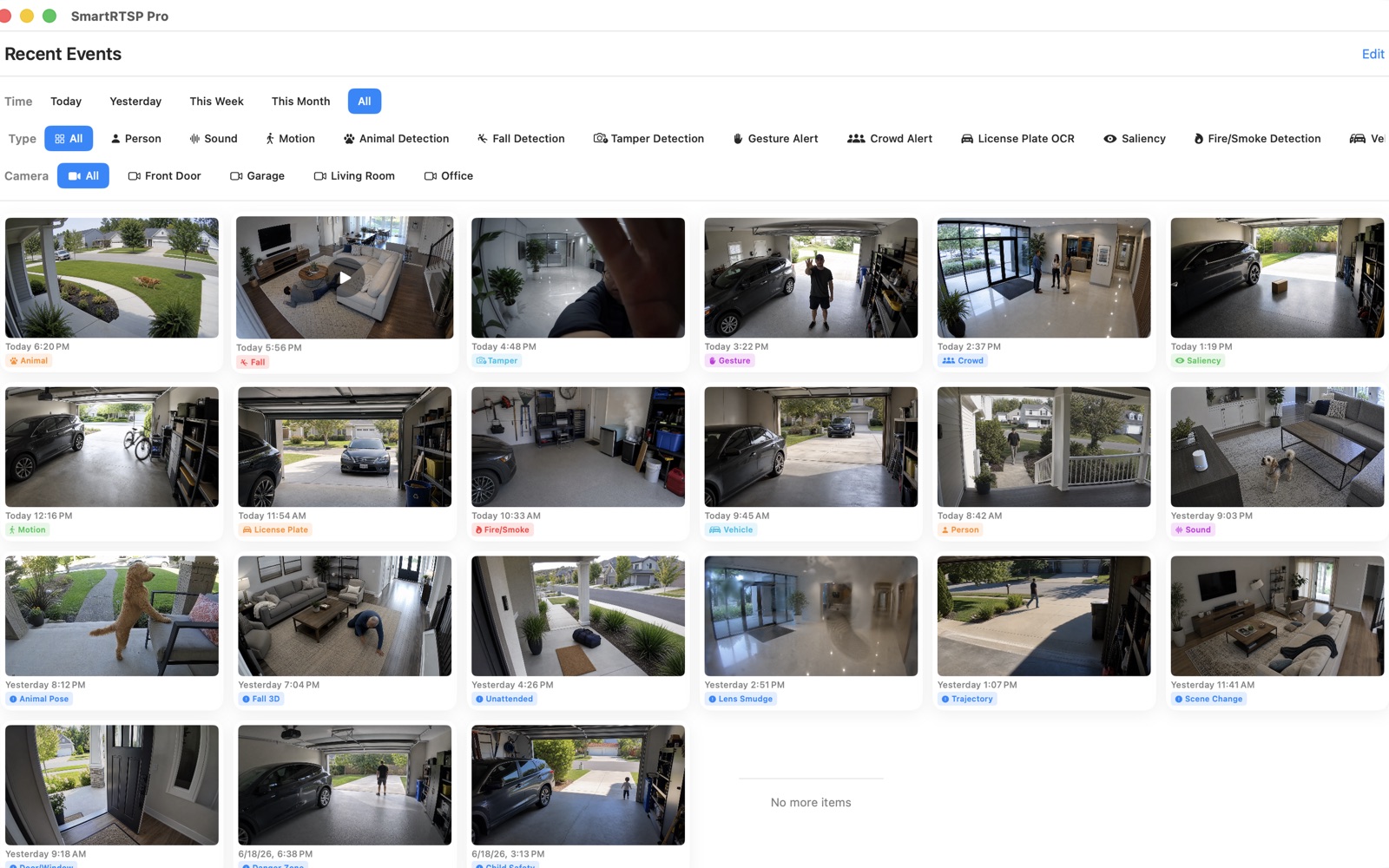
OmniNVR can win on focus. Its website and setup library explain brand-specific RTSP paths, ONVIF discovery, dual-stream recording, storage retention, and Apple-device roles without requiring users to understand a full VMS at the start. The UI emphasizes live wall, event timeline, and local-first boundaries.
This is most useful for households and small sites that want camera recording to feel like an Apple application rather than a surveillance server administration project.
Where SecuritySpy stands out
SecuritySpy has years of specialized Mac NVR depth. Official documentation covers direct-to-disk recording, multiple camera layouts, secure web access, scripting, synchronized playback, extensive actions, Home and Home Assistant integrations, and a broad camera database. It is the safer choice when those controls are mandatory.
Its companion apps also remove any basis for claiming OmniNVR is the only Apple TV or iOS option. Compare the actual timeline, onboarding, retention, camera count, and support model during the trial.
Licensing and camera growth
SecuritySpy licenses are tiered by maximum camera count and include a defined support/update period; the software license itself does not expire. That is predictable for a fixed system, but the license step-up matters when more cameras are added. OmniNVR buyers should check current App Store purchases before making a price claim.
For either product, add the cost of the always-on Mac and recording storage. Use the same camera bitrates and retention days when comparing total cost.
Which should you choose?
Choose OmniNVR when a focused Apple-native experience, guided setup, and direct local use are the priority. Choose SecuritySpy when you need the deepest established Mac NVR, advanced automation, or a larger professionally operated camera system.
Frequently asked questions
Is SecuritySpy cloud-based?
No. SecuritySpy states that processing and storage occur on the Mac and remote access uses direct encrypted connections rather than routing video through its cloud servers.
Does SecuritySpy have an Apple TV app?
Yes. The vendor provides companion apps for iPhone, iPad and Apple TV, as well as Android. OmniNVR should be chosen for its own workflow, not on the assumption that SecuritySpy lacks Apple clients.
Which Mac NVR is easier?
That depends on required depth. OmniNVR is positioned as a focused guided workflow; SecuritySpy exposes a broader professional feature set. Use the trial and test the exact cameras and recovery routine.
Sources and further reading
Build your NVR on the Apple devices you already own.
Monitor, record, review, and retain RTSP and ONVIF camera video locally.