
Monitoring
How to Design a Multi-Camera Live Wall
Plan a useful IP-camera live wall with stream roles, layouts, camera ordering, status signals, and Apple-device screen sizes.
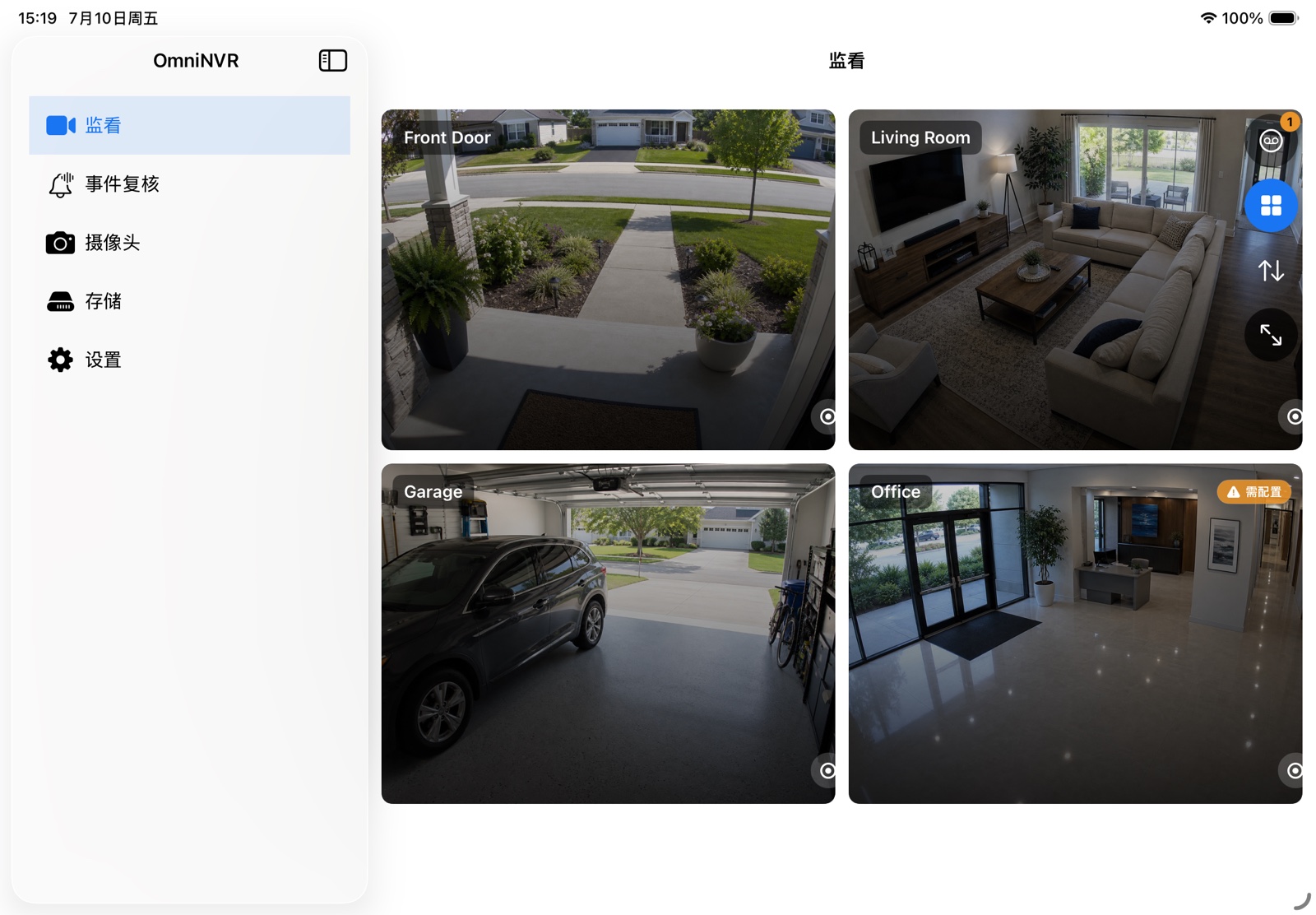
Choose layout by monitoring task
A 2×2 grid works well for four equal-priority areas. A 1+N layout is better when one entrance, production line, or event needs a large primary view while other cameras remain visible. Larger grids trade detail for awareness and should be evaluated at the actual viewing distance.
Keep camera order predictable. Operators build spatial memory, so automatic reordering after reconnects can make a live wall harder to use even when every stream is healthy.
Use the right stream for the grid
Decoding several full-resolution main streams can waste bandwidth and processing when each tile is small. Use camera sub streams for the overview when available, and switch to the main stream when a user opens one camera or full screen.
Test the transition. The detailed view should not stall while the application tears down one stream and creates another, and audio should remain muted by default unless the user intentionally selects it.
Reduce overlay noise
Normal state needs very little decoration: camera name, a small online indicator, and perhaps audio state. Show larger labels for conditions that need action, such as authentication failure, recording stopped, or storage unavailable.
Every permanent overlay hides video. Place layout controls in a shared toolbar rather than repeating them over every tile.
Match the Apple device
iPad works well as a touch-first wall with fast full-screen transitions. Mac can add a camera list, inspection controls, and storage status around the wall. Apple TV is suited to passive big-screen viewing with focus-based navigation. iPhone should prioritize one camera and a compact overview instead of shrinking a desktop wall.
OmniNVR provides Auto, 1×1, 2×2, 3×3, 4×4, and 1+N layouts, with persistent camera ordering across views.
Frequently asked questions
How many cameras should a live wall show?
Show only as many as remain recognizable at the screen size and viewing distance. Use pages or saved layouts when a single grid becomes too dense.
Should every tile use the main stream?
Usually not. Sub streams reduce decode and network load in small tiles. Use the main stream for a selected or full-screen camera when more detail is visible.
What should happen when a camera disconnects?
Keep its position stable, show a concise actionable state, and retry according to a bounded reconnect policy rather than collapsing the grid.
Build your NVR on the Apple devices you already own.
Monitor, record, review, and retain RTSP and ONVIF camera video locally.