
NVR basics
What Is a Software NVR? A Practical Guide for IP Cameras
Learn how a software NVR records RTSP and ONVIF cameras, how it differs from a hardware recorder, and when an Apple device can be the right NVR host.
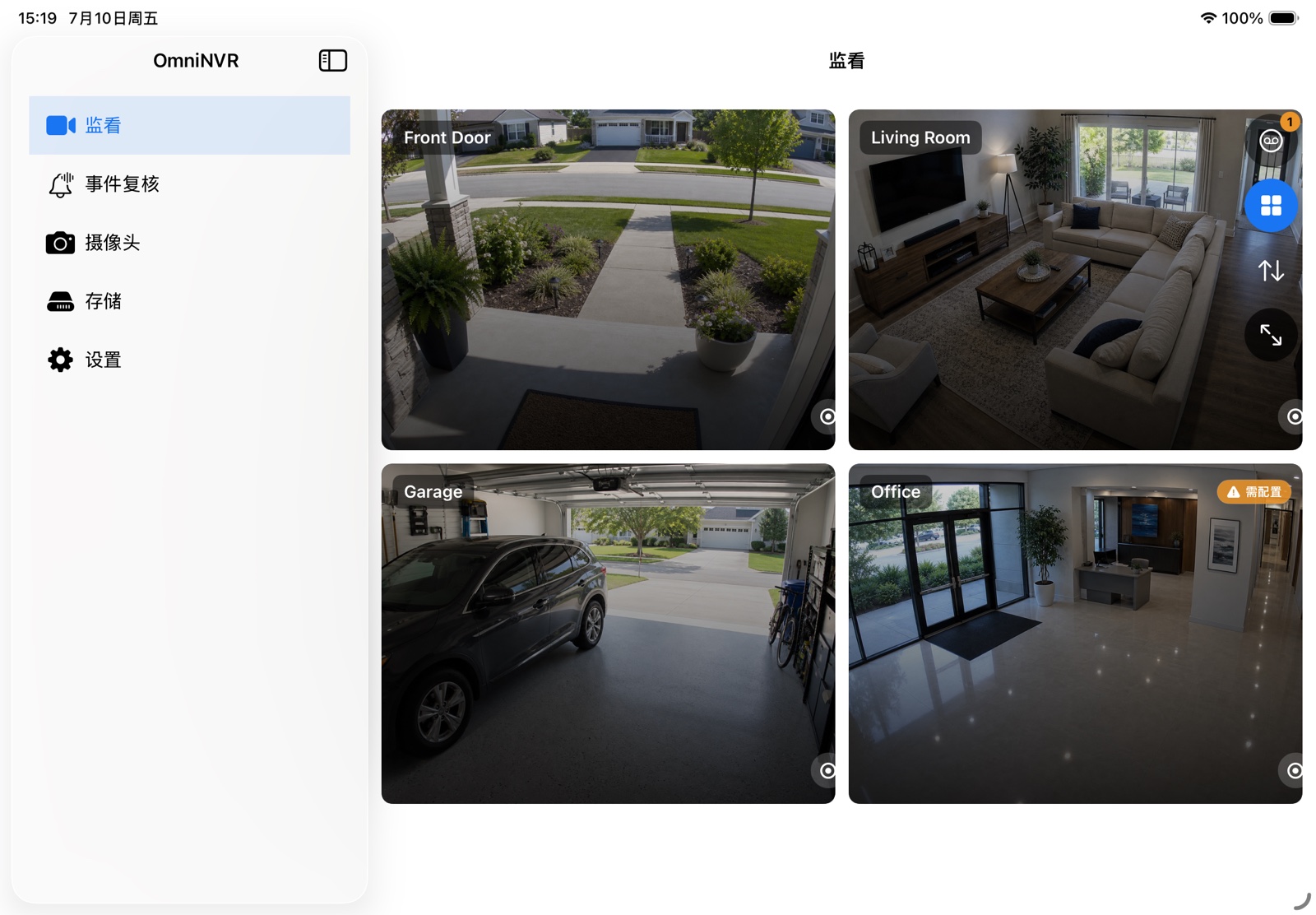
What an NVR actually does
An NVR sits between network cameras and storage. It opens one or more camera streams, keeps those sessions alive, decodes video when a live view or analysis needs frames, and writes recording segments that can be searched later. A useful NVR also tracks timestamps, camera identity, event markers, and retention state so a recording is more than a folder full of files.
RTSP is commonly used to set up and control a real-time media session. The protocol is deliberately separate from the media-delivery mechanism, which is why camera compatibility also depends on transport, codec, authentication, and stream formatting—not only on the presence of an RTSP URL.
Software NVR versus hardware NVR
A hardware NVR is a dedicated appliance with fixed bays, video outputs, and a vendor operating system. A software NVR runs on hardware you already own or select yourself. The software approach gives you more freedom over storage, display, updates, and integrations, but it also makes you responsible for host uptime, disk health, networking, and power management.
For a home, studio, or small site, an always-on Mac with an external drive can be a compact NVR host. An iPad or iPhone is better suited to portable monitoring and event review; Apple TV is useful as a viewing endpoint. The right topology depends on which device can stay powered, connected, and close to the recording storage.
The four layers to evaluate
- Camera input: supported protocols, codecs, credentials, and main/sub-stream roles.
- Recording: continuous, scheduled, manual, and event-triggered policies.
- Storage: destination, free-space budget, segment health, and automatic retention.
- Review: timeline navigation, event markers, playback, and export.
Marketing feature lists often focus on live view, but recording and recovery behavior matter more for an NVR. Test what happens after an app restart, network interruption, full disk, and temporary camera outage.
Where OmniNVR fits
OmniNVR is a software NVR for the Apple ecosystem. It supports RTSP, RTSPS, ONVIF, and HLS inputs; multi-camera live views; continuous sub-stream recording; event-triggered main-stream clips; storage retention; and timeline review. Camera credentials are stored in Apple Keychain, while recordings stay on the storage destination you choose.
That design is useful when you want direct control of cameras and recordings without buying another recorder appliance. Compatibility still depends on the camera exposing a supported stream and implementation, so test a live connection and a short recording before planning a permanent deployment.
Frequently asked questions
Does a software NVR need the internet?
Not for ordinary local RTSP or ONVIF viewing and recording. The host and cameras need to reach each other on the local network. Optional cloud sync, remote access, or third-party integrations may require internet access.
Can an old Mac be used as an NVR?
Potentially, if it meets the application requirements, can remain powered, has reliable network access, and has sufficient attached storage. Test sustained recording and thermal behavior before depending on it.
Is an NVR the same as a camera viewer?
No. A viewer can display a live stream. An NVR also manages durable recording, indexing, retention, playback, and recovery over time.
Sources and further reading
Build your NVR on the Apple devices you already own.
Monitor, record, review, and retain RTSP and ONVIF camera video locally.